
Get the 2026 WAEC Computer Hardware and GSM Repairs (Paper 2 — Essay and Paper 1 — Objective) questions and answers here. This exam held on Wednesday, 20th May 2026. Scroll down for the question paper images and verified answers. Keep refreshing for updates. 🔥
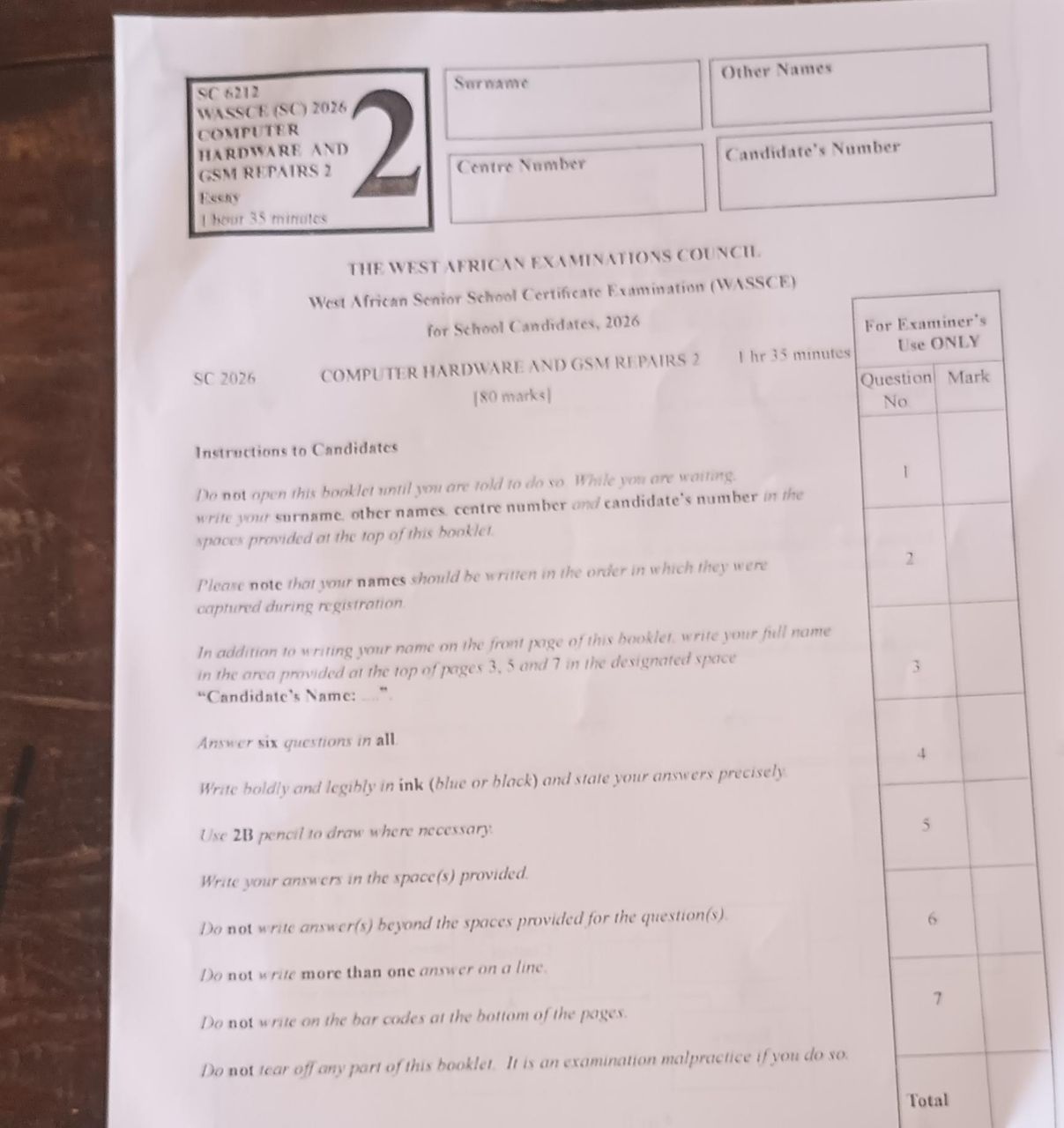
WAEC 2026 Computer Hardware & GSM Repairs — Question Paper
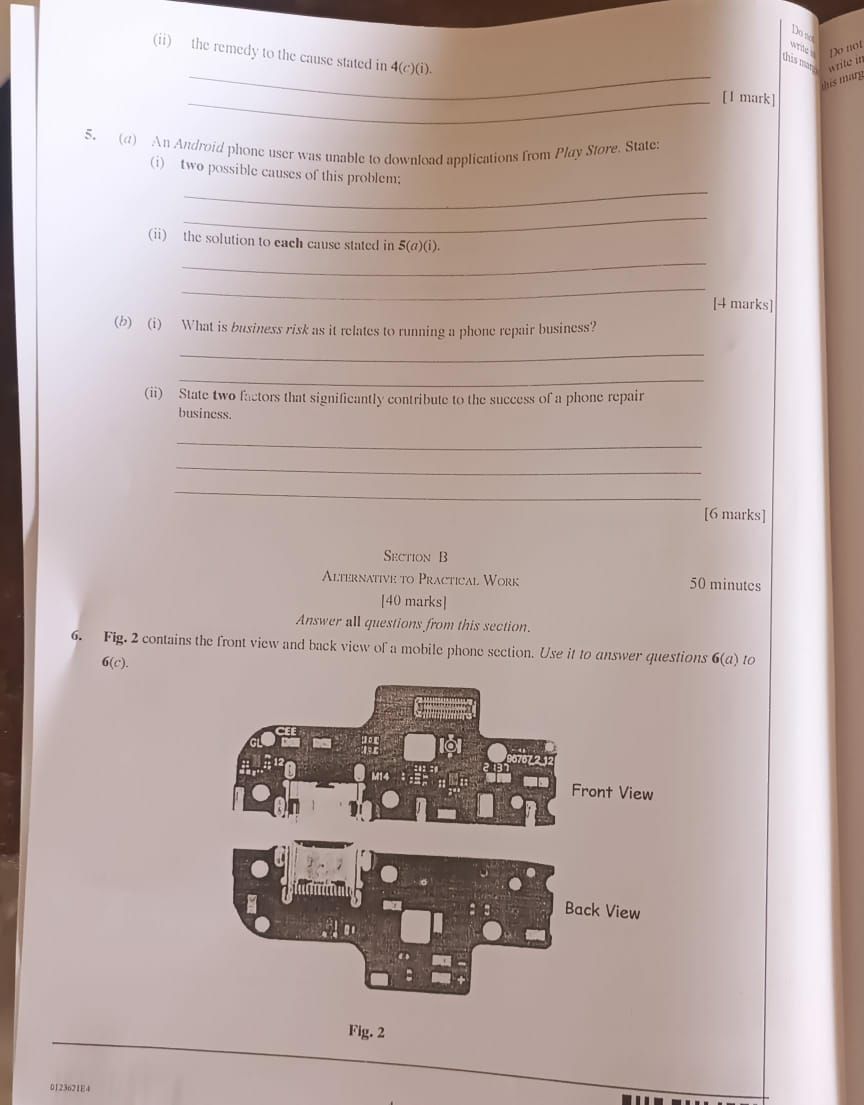
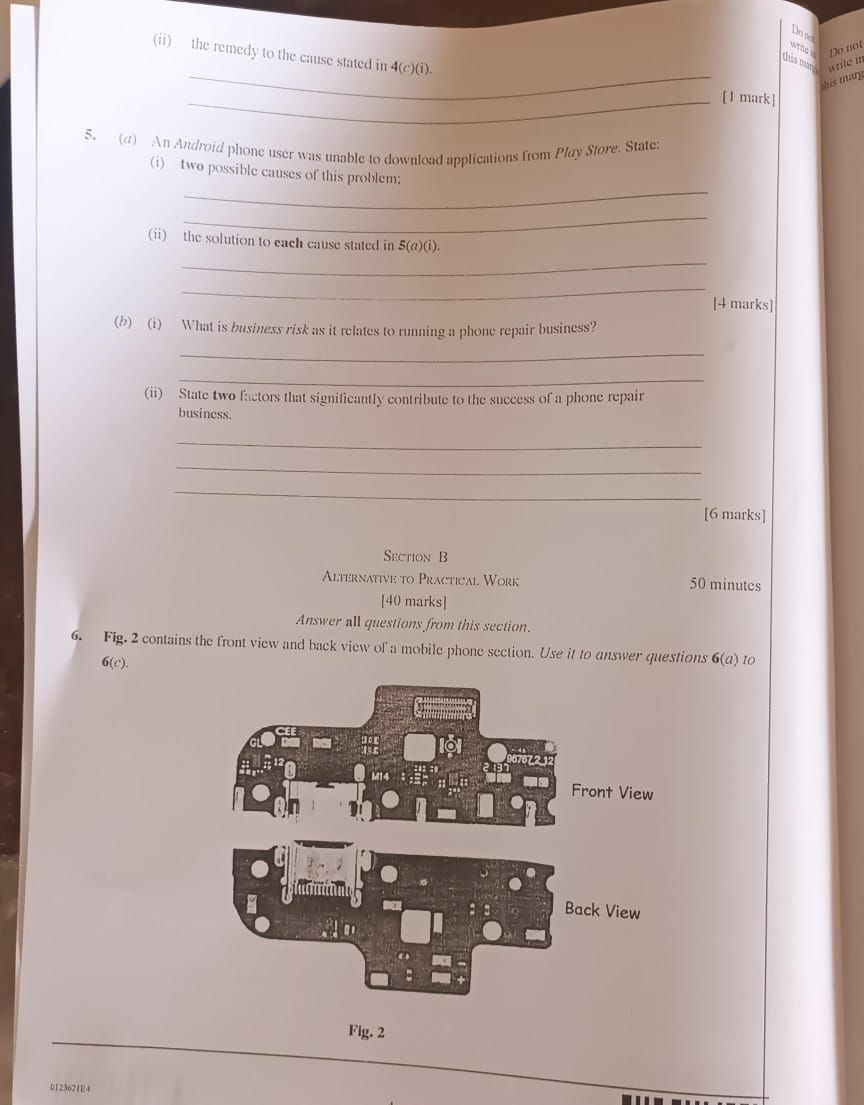
WAEC 2026 Computer Hardware & GSM Repairs — Answers
Question 1
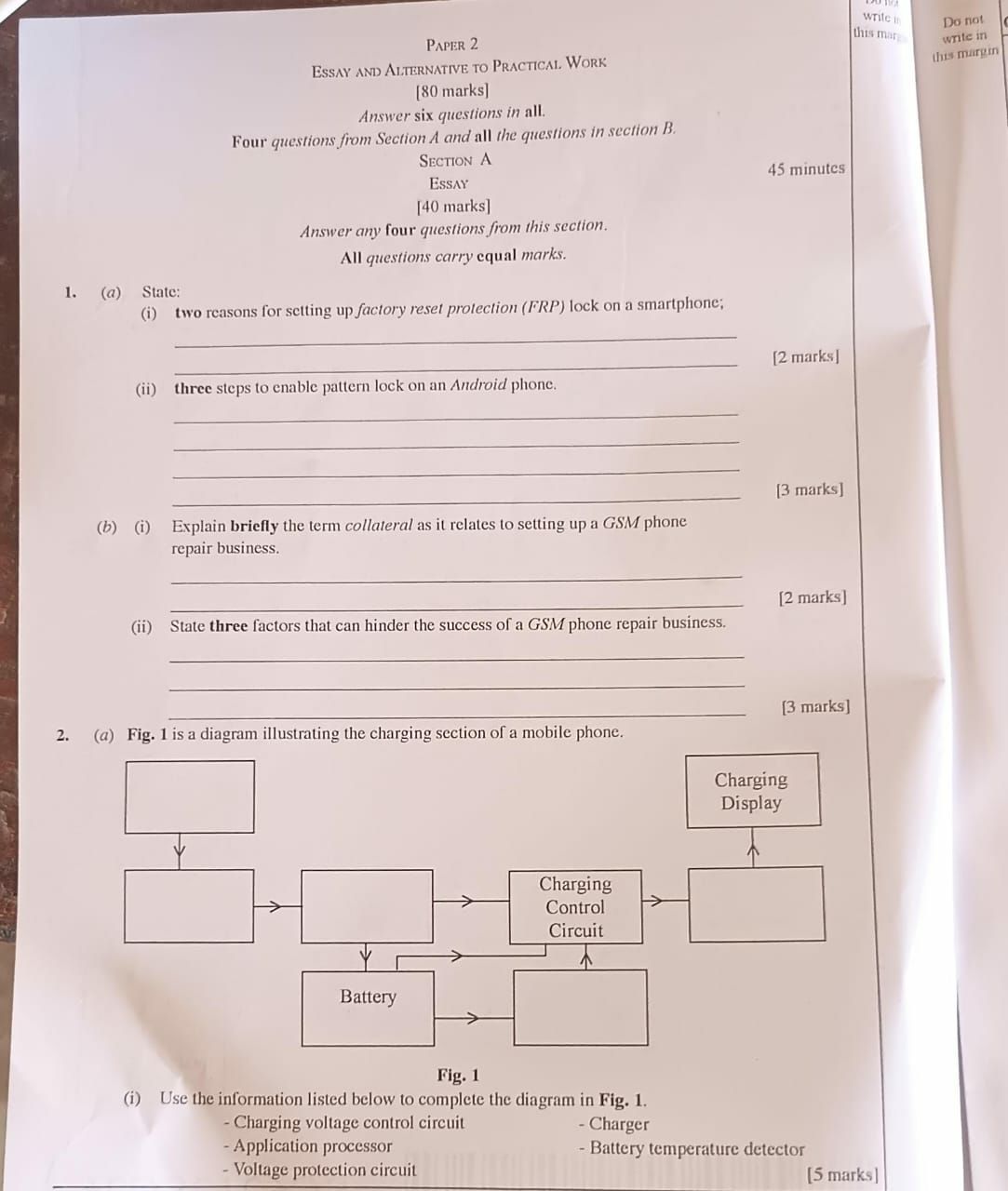
(1a)(i) — Purposes of Factory Reset Protection (FRP) (Any 2)
- (i) To prevent unauthorized access to the phone after factory reset.
- (ii) To protect personal data and information stored on the device.
- (iii) To discourage phone theft since the thief cannot easily use the phone.
- (iv) To improve the security and privacy of the smartphone owner.
(1a)(ii) — Steps to set a Pattern Screen Lock on Android (Any 3)
- (i) Open the Settings application on the phone.
- (ii) Scroll down and select Security or Lock Screen.
- (iii) Tap on Screen Lock.
- (iv) Select Pattern from the available lock options.
- (v) Draw the preferred pattern on the grid provided.
- (vi) Confirm the pattern and save it to activate the lock.
(1b)(i) — What is Collateral?
Collateral is a valuable property or asset pledged by a person to secure a loan for starting or running a GSM phone repair business. If the loan is not repaid, the lender has the right to take the asset.
(1b)(ii) — Challenges of running a GSM Repair Business (Any 3)
- (i) Lack of adequate capital.
- (ii) Poor technical skills or lack of training.
- (iii) Bad business location.
- (iv) Inadequate repair tools and equipment.
- (v) Poor customer relations or dishonesty.
- (vi) Unstable electricity supply or poor internet network.
Question 3
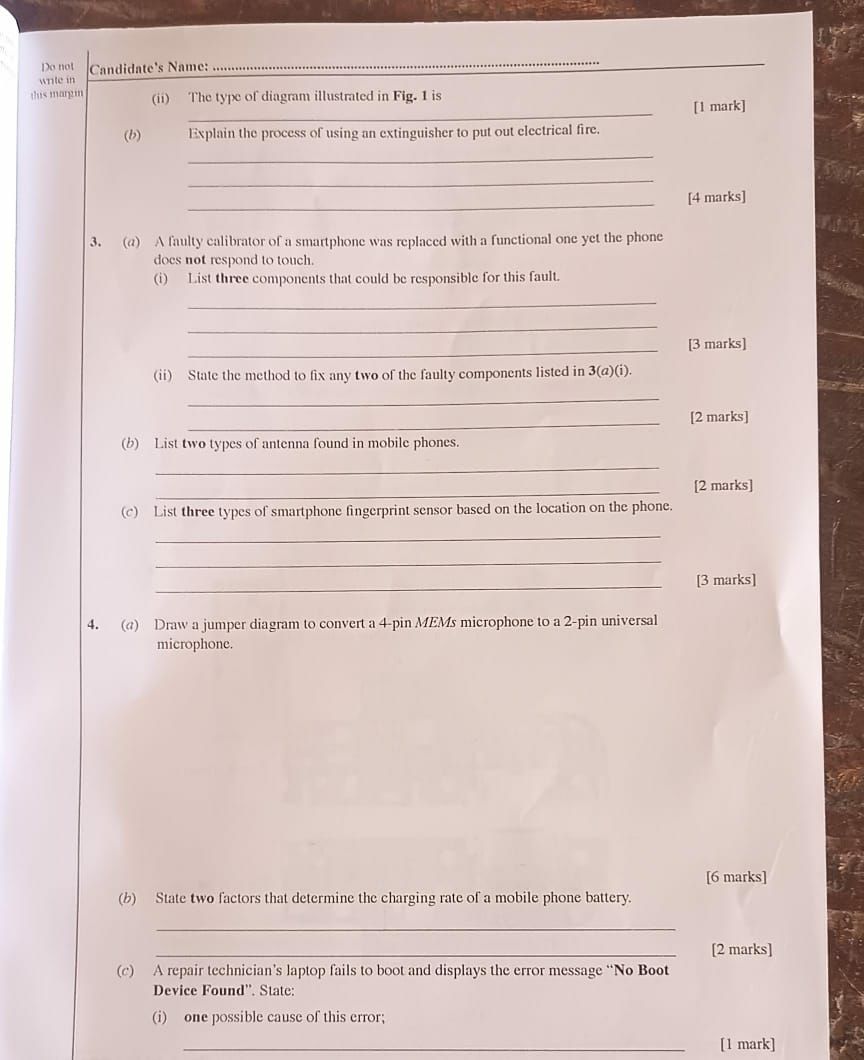
(3a)(i) — Components labelled in the diagram
- (i) CPU (Application Processor)
- (ii) Display/Touch Connector
- (iii) Touch IC
(3a)(ii) — How to fix the faults
- (i) Touch IC fault: Re-soldering (reflowing) or replacing the IC chip.
- (ii) Connector fault: Cleaning the connector with IPA (Isopropyl Alcohol) or re-seating the ribbon cable properly.
(3b) — Types of Antenna in a Smartphone
- (i) Main Antenna — For cellular signals (LTE/5G).
- (ii) Wi-Fi/Bluetooth Antenna — For short-range wireless connectivity.
(3c) — Types of Fingerprint Sensors
- (i) Rear-mounted — Located on the back of the device.
- (ii) Side-mounted — Integrated into the power button.
- (iii) In-display (Under-display) — Located beneath the screen.
Question 6
(6a)(ii) — Component identified
Flex cable / Ribbon cable
(6b)(i) — Components found at the bottom of a smartphone
- (i) USB/Charging port
- (ii) Microphone
- (iii) Headphone jack
(6b)(ii) — Type of device shown
Smartphone (Android)
(6c)(i) — Problems caused by a faulty USB port
- (i) Phone will not charge
- (ii) Data transfer will not work
(6c)(ii) — Tools needed to replace a USB port
- (i) Screwdriver (Pentalobe/Phillips)
- (ii) Spudger/Pry tool
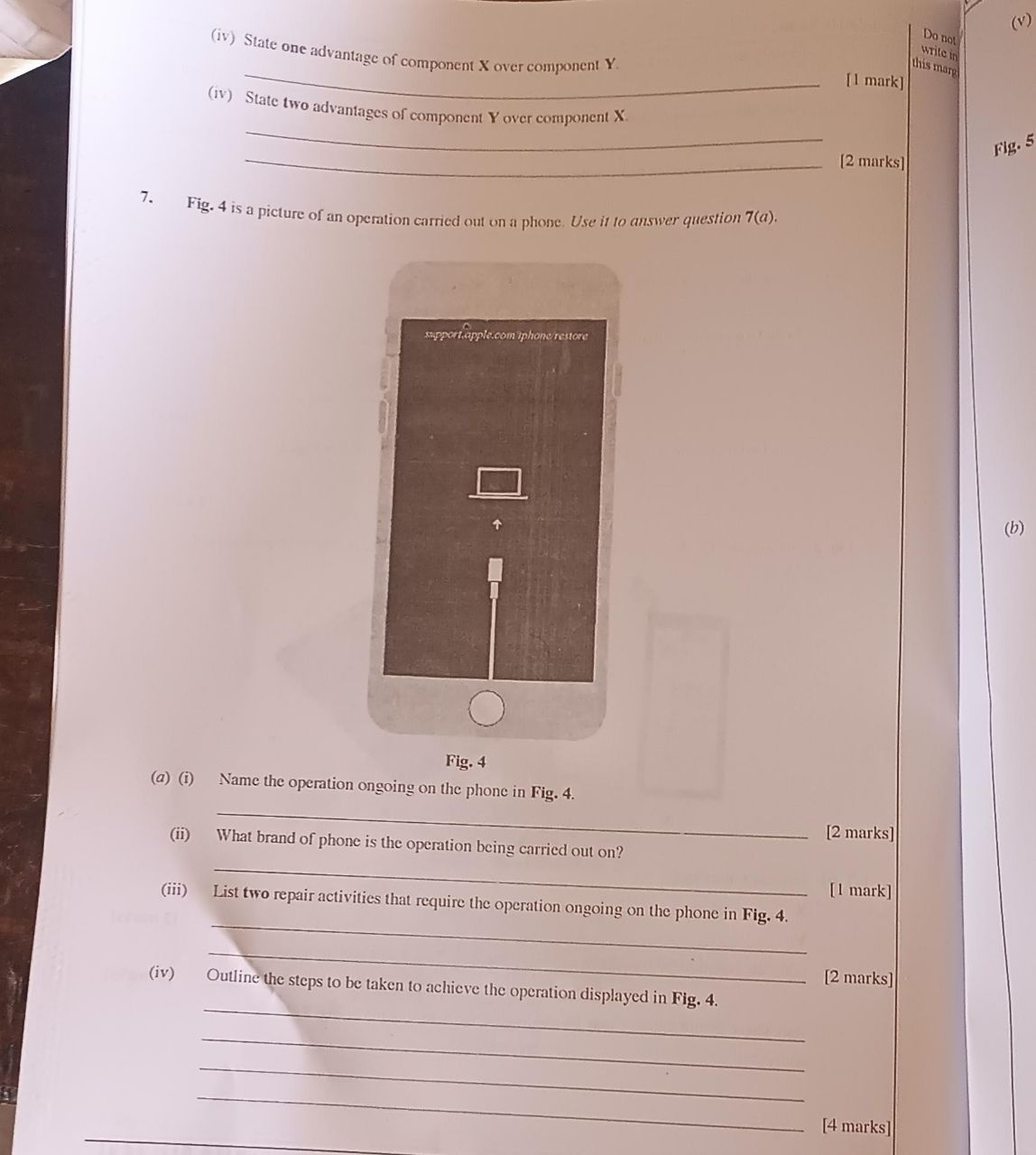
(6d)(i) — Battery types labelled X and Y
- (i) X = Li-ion (Lithium-ion) battery
- (ii) Y = Li-Po (Lithium Polymer) battery
(6d)(ii) — Function of the battery
To store and supply electrical energy to power the mobile phone.
(6d)(iii) — Symptoms of a faulty battery
- (i) Phone shuts down unexpectedly
- (ii) Battery drains very quickly
- (iii) Phone does not power on
(6d)(iv) — Advantages of Li-Po over Li-ion
- (i) Lighter and thinner in size
- (ii) Less likely to swell or explode (safer)
(6d)(iv) — Advantages of Li-ion over Li-Po
- (i) Less expensive / cheaper to produce
🔄 More answers loading… Keep refreshing this page for live updates.
Join Our Community
Get live WAEC updates, exam tips, and answers shared in real time with other serious candidates.
 Examsmooth
Leave a comment